Web technologies - HTML
Describe the basic structure of an HTML page
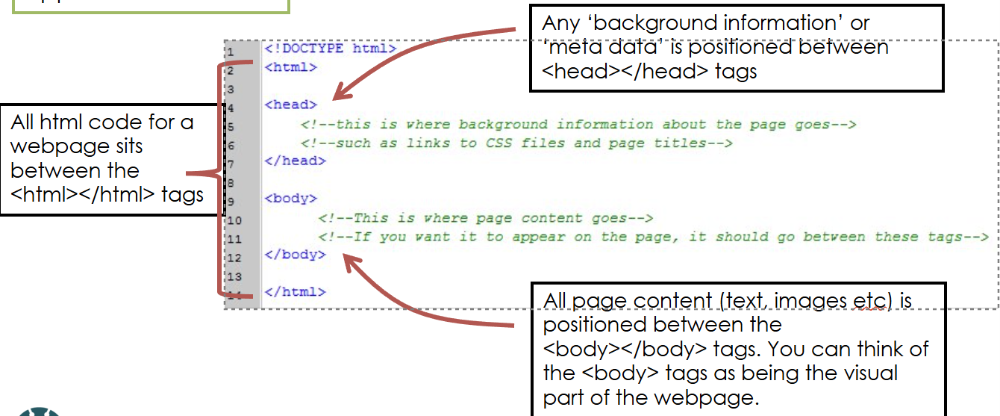
-background information or metadeta positioned between <head> and </head>
-all page content (text, images, buttons) positioned between <body> and </body>
-all HTML code for a webpage sits between the <html> and </html> tags.
What is the purpose of the <title> and </title> tags?
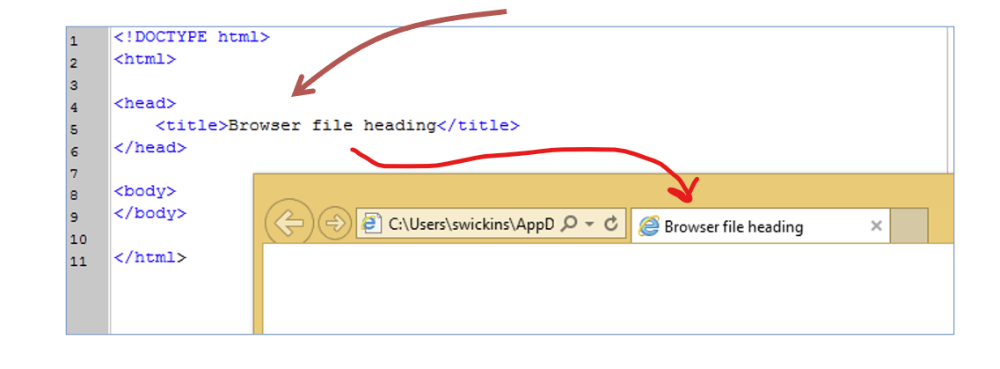
-Used to contain the information which is to be shown in the window title bar or webpage tabs
What is the <link> tag used for?
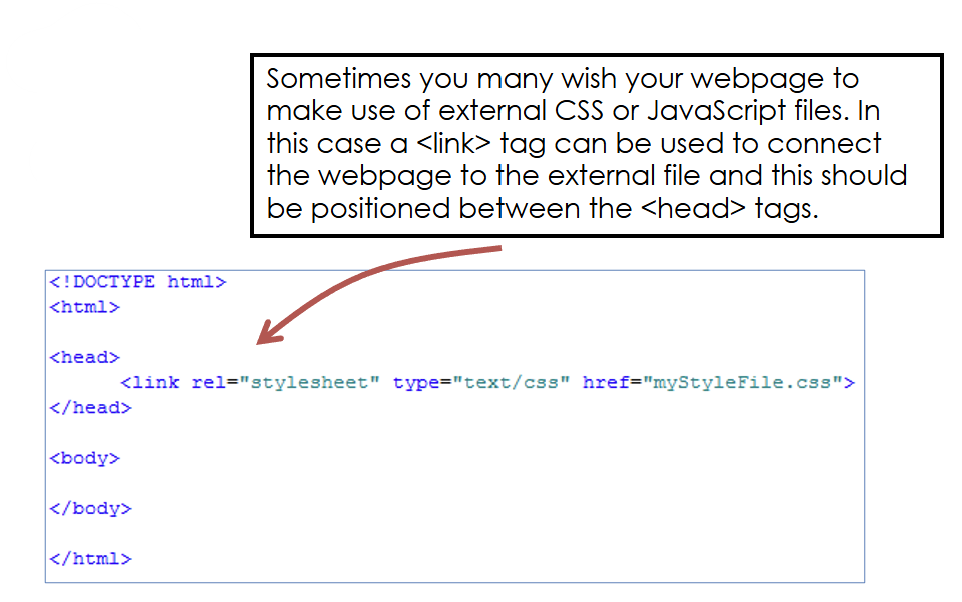
-Used to connect the web[age to external files such as a CSS or JavaScript file. A <link> tag is used to connect the webpage to the external file. This is positioned between the <head> tags.
What are the heading tags?
<h1> Heading goes here </h1>
-adds page heading/title for a page
-they come in different sizes with the largest being <h1></h1> and the smallest being <h6></h6>
How do you add an image onto a webpage?
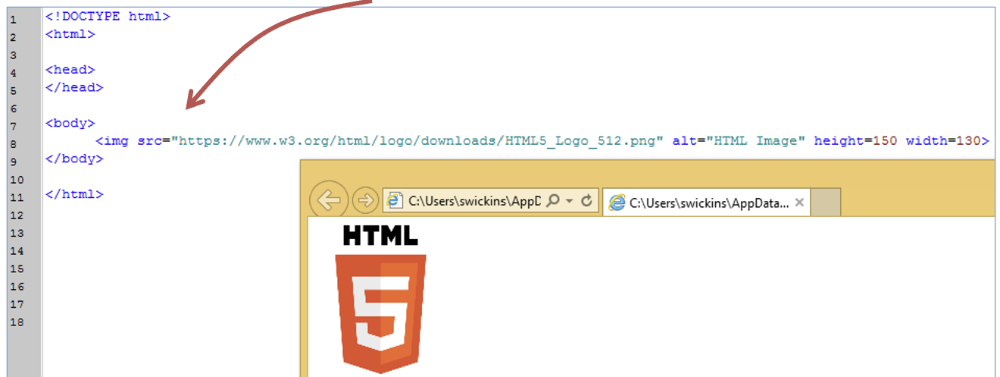
-Use an image tag <img>
-Inside this tag we add the source (src) of the image (which may be a file path or a web address)> You can add some text to be displayed if the image doesn't load ) and we can specify the height and width of the image.
How do you add a hyperlink in HTML?
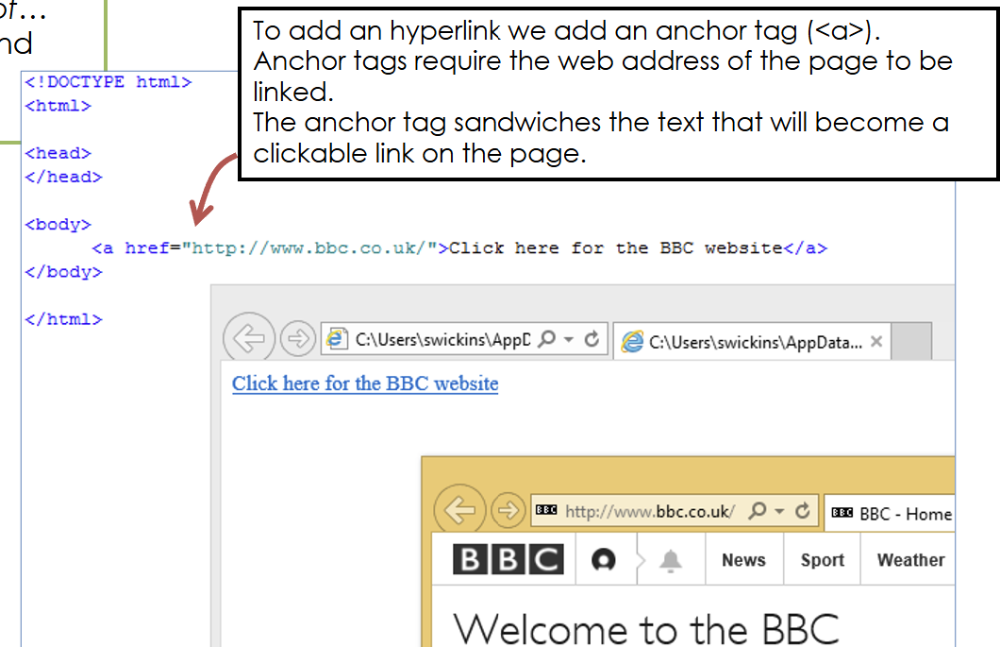
-Add an anchor tag <a>
-Anchor tags require the web address of the page to be linked
-The anchor tag sandwiches the text that will become a clickable link on the page.
How do you add a paragraph?
<p> and </p> tags are used to contain text that you wish to appear on the webpage
-with a paragraph tag, extra attributes (such as align) can be used to format the text
How do you make an unordered list?
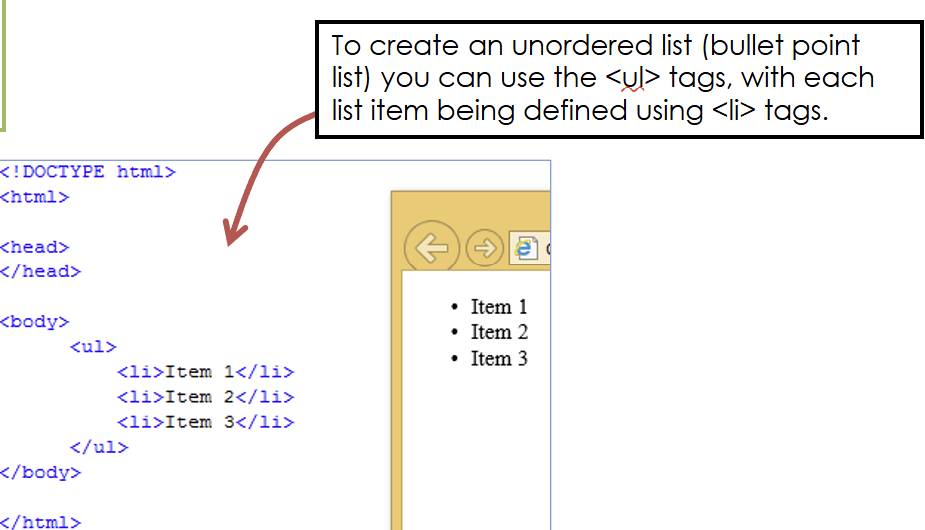
-an unordered list (bullet point list) can be made using the <ul> </ul> tags (thats UL not U1)
-each list item is defined with <li></li> tags.
How do you make an ordered list?
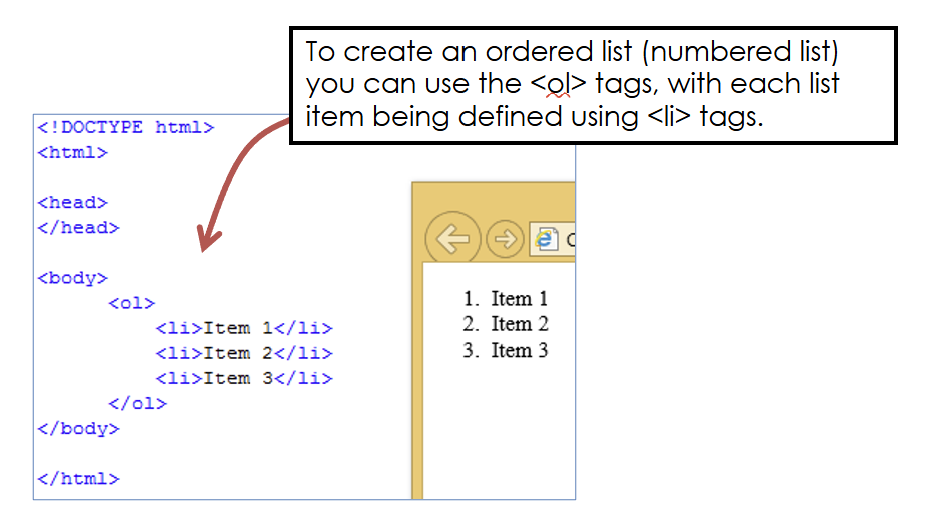
-using the ol> tags, with each list item being defined using <li> tags
What are <div> tags used for?
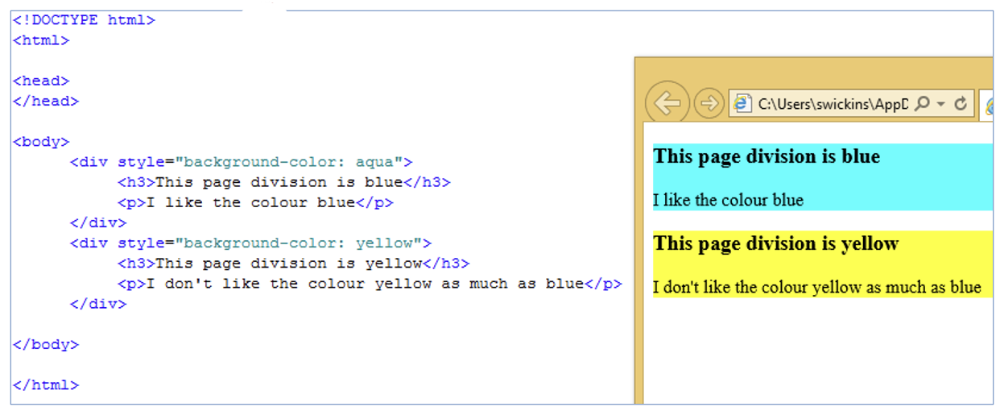
-to format parts of the webpage differently, e.g. two sections with different background colours.
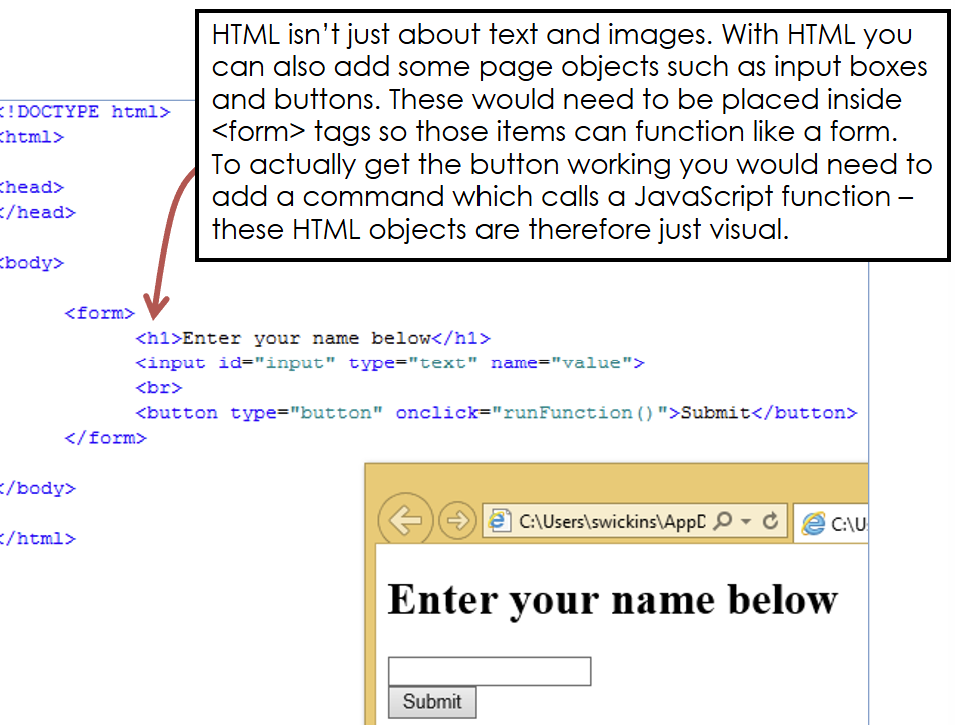
How do you add input boxes and buttons?
What do you need to add interactivity to a webpage?
-you have to add some kind of scripting language, e.g. JavaScript
-To add scripts to a webpage they need to be inserted between <script> tags