Instructions for Side by Side Printing
- Print the notecards
- Fold each page in half along the solid vertical line
- Cut out the notecards by cutting along each horizontal dotted line
- Optional: Glue, tape or staple the ends of each notecard together
3rd Grade Computer Vocab Part 2
front 1 desktop | back 1 the visual backdrop of a graphic user interface (GUI) that makes interacting with the computer easier |
front 2 graphic user interface (GUI) | back 2 using a pointing device, usually a mouse, so that you have the ability to click on commands instead of typing them |
front 3 downloading | back 3 the process of copying data from a main source and transferring it to another computer |
front 4 e-mail software | back 4 software that lets you create and receive electronic messages (e-mail) |
front 5 file | back 5 an electronic copy of your work that you can save, print, and come back to later. |
front 6 file name | back 6 a name given to a computer file |
front 7 File menu | back 7 drop-down list of actions the computer can perform on a file (open, close, save, print) |
front 8 folder | back 8 a way to organizing information, can hold files and other folders |
front 9 hardware | back 9 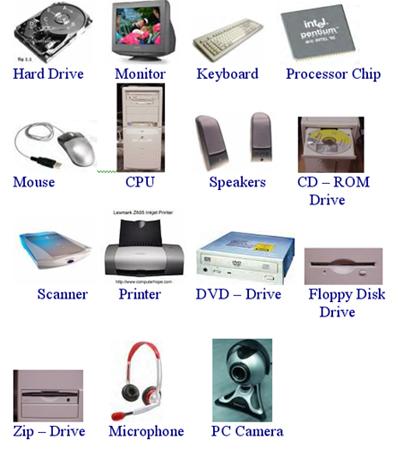 collection of the physical components that make up the computer. (you can touch them) |
front 10 software | back 10 the instructions for the computer, programs that the computer uses (you can not touch) |