Instructions for Side by Side Printing
- Print the notecards
- Fold each page in half along the solid vertical line
- Cut out the notecards by cutting along each horizontal dotted line
- Optional: Glue, tape or staple the ends of each notecard together
TEAS 7 Geomtrey Eqns + Metric System Conversions + Review
front 1 Equations for AREA | back 1 Square Rectangle Triangle Parallelogram Trapezoid Circle Rhombus |
front 2 Square | back 2 A = l x l |
front 3 Rectangle | back 3 A = l x w |
front 4 Triangle | back 4 A = 1/2 x b x h |
front 5 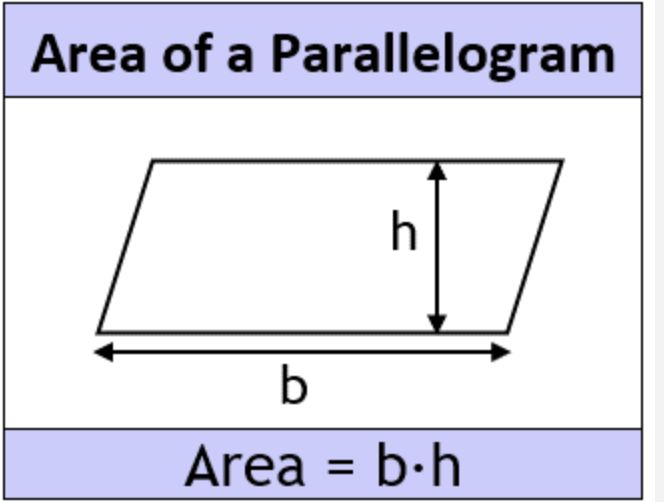 Parallelogram | back 5 A = h x b |
front 6 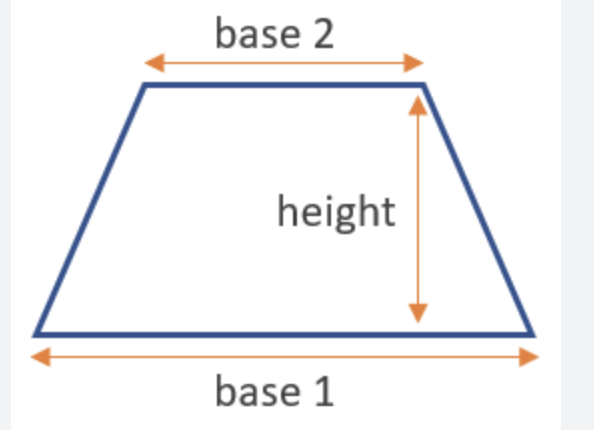 Trapezoid | back 6 A = 1/2 x h x (b1 + b2) |
front 7 Circle | back 7 A = pi x r^2 |
front 8 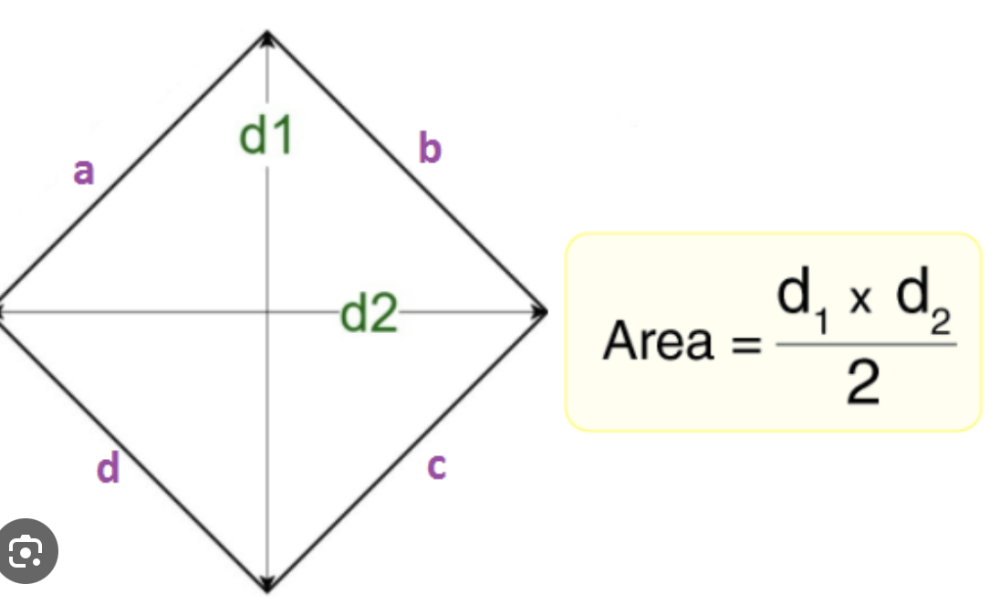 Rhombus aka (kite) | back 8 A = 1/2 x d1 x d2 |
front 9 Equations for VOLUME | back 9 Rectangular Prism Triangular Prism Cylinder Cone Rectangular Pyramid Sphere |
front 10 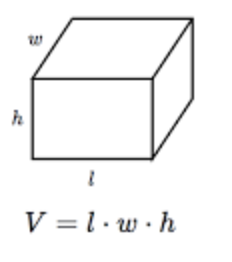 Rectangular Prism | back 10 V = l x w x h |
front 11 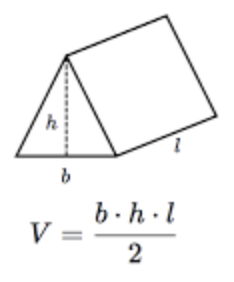 Triangular Prism | back 11 V = b x h x l / 2 |
front 12 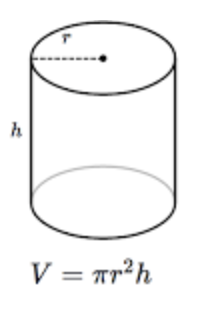 Cylinder | back 12 V = pi x r^2 x h |
front 13 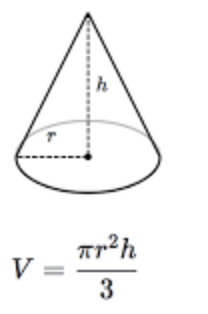 Cone | back 13 V = pi x r^2 x h / 3 |
front 14 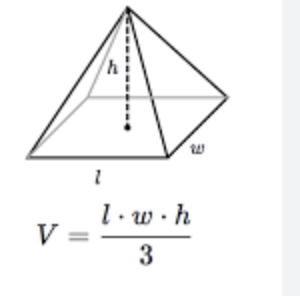 Rectangular Pyramid | back 14 V = l x w x h / 3 |
front 15 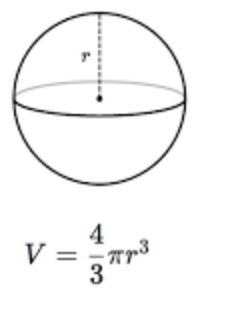 Sphere | back 15 V = 4/3 x pi x r^3 |
front 16 Circumference aka distance around a circle | back 16 C = 2 x pi x r = d x pi d = 2 x r d=diameter |